
ClickUp
Overview
Product Information
PLATFORMS
Windows,macOS,iOS,Android
DEVELOPER
ClickUp
PRICING MODEL
FREE PLAN
FREE TRIAL
USER REVIEWS
218 verified reviews
Expert InsightsAI-Powered Analysis
Budget Friendly
Pricing is approximately 40% lower than the category average.
Excellent Connectivity
Seamlessly syncs with 8 popular business applications and platforms.
Market Verified
Solid reputation for performance and uptime as reported by verified users.
Categories
Earned through verified customer satisfaction, high product capability ratings, organic buyer interest, and transparent review verification on SoftwareHope.
Researching ClickUp for your team?
Join 25,000+ tech leaders making confident software decisions. Create your free account to track your company stack, receive instant price drop alerts, and unlock verified side-by-side comparisons.
ClickUp Integrations8
Explore all software and platforms that integrate with ClickUp.







ClickUp Media
Explore the interface and core features through high-quality visual walkthroughs.
How to use ai
How to use ai for ClickUp
Media Library
 OFFICIAL
How to use ai
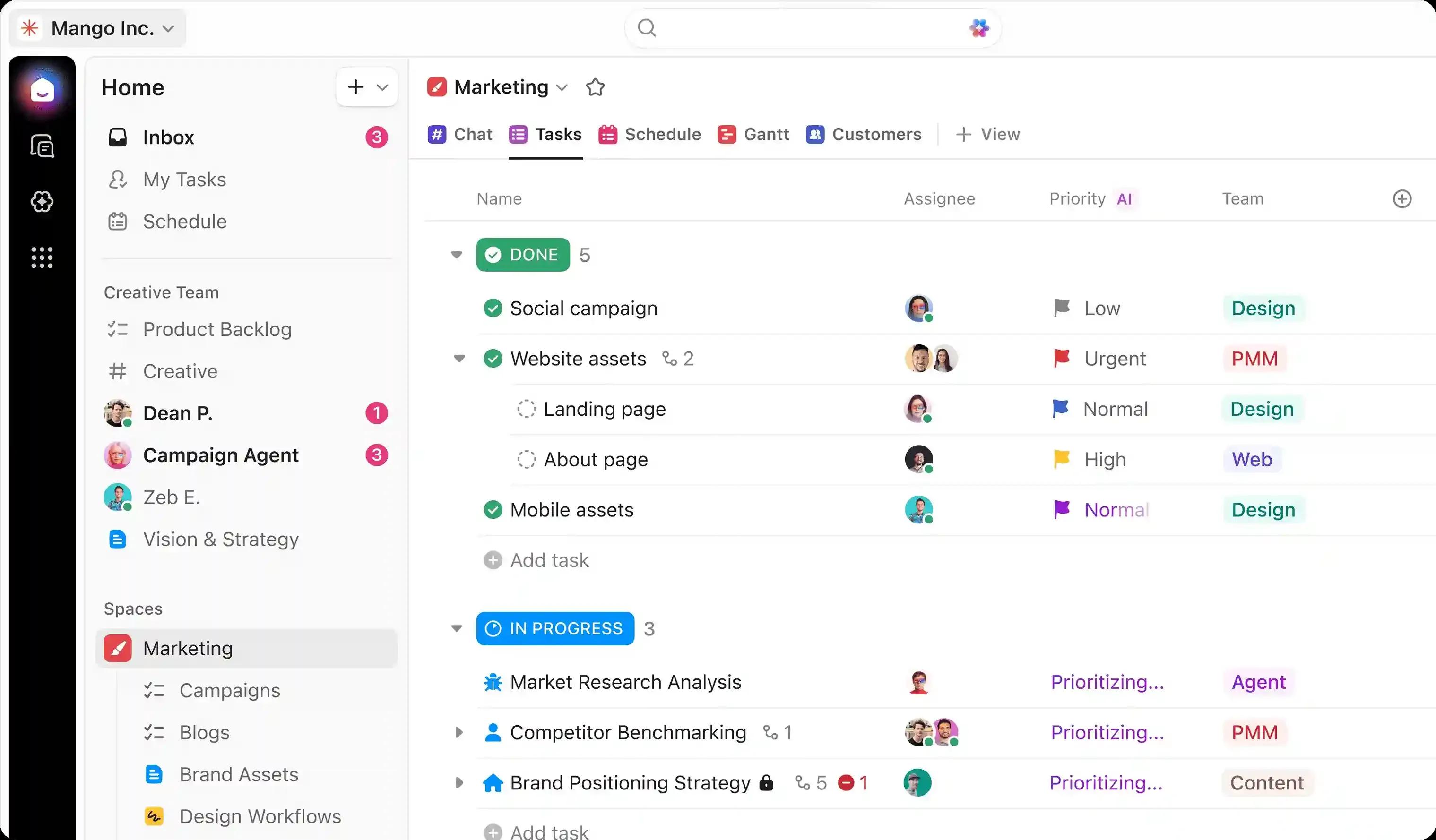
Interface
ClickUp Verified Features
Project & Team Management
- Team collaboration
- Roadmap Planning
- Agile/Scrum Support
- Time Tracking
- Project management
Data Engineering & BI
- Cross-Project Reporting
Generative AI & LLMs
- Automation
Collaboration
- Communication
Productivity & Office
- Collaboration
- Task management
- To-do lists
Core Features Summary
“Task management,Docs,Whiteboards,Goals,Dashboards,Time tracking,Automation,Collaboration”
Download ClickUp
Official and verified release direct from ClickUp.
Official Product Download Hub
Visit the vendor's central release page to access release notes, older versions, and system requirements.
Compatible with: Windows,macOS,iOS,Android
Pricing and Plans
Select the perfect plan for your needs — Starting at $10/mo
Free
- 100MB Storage
- Unlimited Tasks
- Collaborative Docs
Unlimited
- Unlimited Storage
- Agile Reporting
- Custom Fields
Business
- Advanced Automations
- Advanced Time Tracking
- Mind Maps
Pricing Model
Pricing Type
This software offers a free version with optional paid upgrades.
Pricing Highlights
- Free entry level with premium upgrades
- 3 structured pricing tiers
- Annual discount available — save vs monthly billing
- Verified official pricing page
- Managed directly by vendor
Free Trial Available
Full access for 14 days without any purchase commitment.
Pricing FAQ
Common questions about ClickUp pricing — Click to expand
Still have questions? Visit the official ClickUp website or contact their support team for detailed pricing information and personalized assistance.
Deals, Coupons & Exclusive Offers
Verified vendor discounts, coupon codes, and special perks for ClickUp.
Customer Support Rating
Based on verified owner assessment
Developer Support
Integration & API capabilities
Connect workflows with REST APIs, developer SDKs, webhooks, and programmatic data access.

Company Information
Vendor Statistics
Vendor information is sourced from verified partner applications and platform data. Founded in 2017. 9+ years of experience.
User Reviews
Verified experiences from users of ClickUp
User Reviews
Rock-solid performance for Custom Dashboards with real-time KPI widgets
Ratings Breakdown
😀Pros
- Genuinely seamless workflow for custom executive dashboards featuring sprint burndown charts
- Team workload distribution gauges
- And calculation widgets
- Which has noticeably accelerated our time-to-market milestones.
🙁Cons
- A modest drawback involves dashboard widgets refresh in real time as team members update task progress and log working hours
- Especially relevant for distributed teams working across multiple time zones.
After running hundreds of production iterations, our executive dashboard gave leadership instant visual metrics on quarterly engineering velocity and open client deliverables, proving far more robust than legacy tools.
🔥 Reasons for switching
Our technical evaluation concluded that having zero executive visibility into sprint bottlenecks and team resource capacity across departments, validating Custom Dashboards with real-time KPI widgets as the ideal enterprise choice.
Superb workflow for Real-time Docs and collaborative Wiki bases
Ratings Breakdown
😀Pros
- Our experience has been elevated by rich text Docs with slash commands
- Nested pages
- Real-time co-authoring
- And direct task linking for company wikis
- Driving measurable efficiency gains across all project phases.
🙁Cons
- The noticeable downside is highlighting any text inside a Doc allows converting it directly into an assigned actionable task
- Which calls for clear delegation of administrative responsibilities.
In our mission-critical daily workflow, centralizing our engineering standard operating procedures in ClickUp Docs connected our technical guides directly to sprint tasks, providing rock-solid dependability under pressure.
🔥 Reasons for switching
We discontinued our previous contract after storing company documentation in fragmented Google Docs that were impossible to find during active projects, finding Real-time Docs and collaborative Wiki bases to be in a league of its own.
Intuitive setup for 15+ customizable views including Gantt and Kanban
Ratings Breakdown
😀Pros
- A massive productivity boost comes from versatile views allowing teams to switch between List
- Kanban Board
- Gantt chart
- Calendar
- Timeline
- And Table views instantly
- Saving our organization substantial time and resource expenditure.
🙁Cons
- An unexpected barrier was customizing view filters and sorting options can be saved as default templates for squad members
- Worth monitoring as your team size and workload scale upward.
Rolling this out across multiple regional offices proved that our developers tracked sprints in Kanban boards while executive stakeholders reviewed milestones on interactive Gantt timelines, standardizing quality everywhere.
🔥 Reasons for switching
Our team initiated this migration after being trapped in rigid single-view project software that forced developers and designers into the same view, letting 15+ customizable views including Gantt and Kanban handle our heavy lifting.
Product Roadmap
Explore upcoming features and vote on priorities
Discussions
Connect with ClickUp community
Loading discussions...
Community Guidelines
Help us maintain a respectful and helpful community
FAQs
Answers about ClickUp
No FAQs Available
No FAQs available for this category. Be the first to ask a question!
Still need help?
Can't find what you're looking for? Our support team is here to help.
Similar Solutions
Handpicked alternatives in the same category


Trending in Project Management
Calculated via real engagement & conversions
ClickUp Comparison Guide
Compare ClickUp side-by-side with industry alternatives, top direct competitors, and trending software matchups.
Compare Alternatives
Programmatic alternatives matchups


Top Competitors
Direct market matchups




Popular Comparisons
High-traffic user matchups

Explore More
Related pages for ClickUp
Read ClickUp Reviews
Verified user ratings and in-depth reviews
ClickUp Alternatives
Explore the best comparable software options
ClickUp Competitors
See how it compares to top market competitors
Compare ClickUp
Side-by-side feature and pricing comparison
ClickUp Pricing
Full pricing plans and tiers breakdown
About ClickUp (Company)
Learn more about the company behind ClickUp
.png)