
Adobe Premiere Pro
Overview
Product Information
PLATFORMS
Windows, macOS
DEVELOPER
Adobe Inc.
PRICING MODEL
FREE TRIAL
USER REVIEWS
53 verified reviews
Expert InsightsAI-Powered Analysis
Budget Friendly
Pricing is approximately 14% lower than the category average.
Excellent Connectivity
Seamlessly syncs with 4 popular business applications and platforms.
Market Verified
Solid reputation for performance and uptime as reported by verified users.
Categories
Earned through verified customer satisfaction, high product capability ratings, organic buyer interest, and transparent review verification on SoftwareHope.
Researching Adobe Premiere Pro for your team?
Join 25,000+ tech leaders making confident software decisions. Create your free account to track your company stack, receive instant price drop alerts, and unlock verified side-by-side comparisons.
Adobe Premiere Pro Integrations4
Explore all software and platforms that integrate with Adobe Premiere Pro.


Adobe Premiere Pro Media
Explore the interface and core features through high-quality visual walkthroughs.
Official Product Demo
Official Product Demo for Adobe Premiere Pro
Media Library
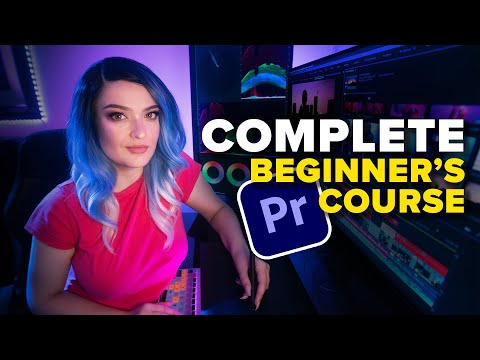 OFFICIAL
Official Product Demo
Adobe Premiere Pro Verified Features
Media & Creative Tools
- Non-linear Video EditorHelpful
- Video EditingHelpful
- Video Editing & TimelineHelpful
- VFXHelpful
- 360-degree videoHelpful
Productivity & Office
- Export in Multiple FormatsHelpful
Generative AI & LLMs
- AI toolsHelpful
Project & Team Management
- Team projectsHelpful
Key Highlights
- Adobe Premiere Pro is a professional video editor with a multitrack timeline
- color tools
- effects
- captions
- and media workflows. It supports creators and production teams building content for social
Core Features Summary
“Adobe Premiere Pro is a professional video editor with a multitrack timeline, color tools, audio editing, effects, captions, and media workflows. It supports creators and production teams building content for social, broadcast, film, and online distribution.”
Download Adobe Premiere Pro
Official and verified release direct from Adobe Premiere Pro.
Official Product Download Hub
Visit the vendor's central release page to access release notes, older versions, and system requirements.
Compatible with: Windows, macOS
Pricing and Plans
Select the perfect plan for your needs — Starting at $22.99/mo
Individual
- Full Premiere Pro access
- 100GB of cloud storage
- Adobe Fonts & Express access
Creative Cloud All Apps
- Includes After Effects & Photoshop
- Includes Audition & Illustrator
- Seamless Dynamic Link workflow
Pricing Model
Pricing Type
This software uses a subscription-based pricing model with monthly billing.
Pricing Highlights
- Commercial license with professional support
- 2 structured pricing tiers
- Annual discount available — save vs monthly billing
- Verified official pricing page
- Managed directly by vendor
Free Trial Available
Full access for 7 days without any purchase commitment.
Pricing FAQ
Common questions about Adobe Premiere Pro pricing — Click to expand
Still have questions? Visit the official Adobe Premiere Pro website or contact their support team for detailed pricing information and personalized assistance.
Deals, Coupons & Exclusive Offers
Verified vendor discounts, coupon codes, and special perks for Adobe Premiere Pro.
Customer Support Rating
Based on verified owner assessment
Developer Support
Integration & API capabilities
Connect workflows with REST APIs, developer SDKs, webhooks, and programmatic data access.

Company Information
Other Products by Adobe Inc.
Explore other solutions offered by this vendor


Vendor Statistics
Vendor information is sourced from verified partner applications and platform data. Founded in 1982. 44+ years of experience.
User Reviews
Verified experiences from users of Adobe Premiere Pro
User Reviews
Impressive experience with Auto Reframe tool powered by Adobe Sensei AI optimizing videos for social media
Ratings Breakdown
😀Pros
- Super smooth performance for intelligent computer vision tool that automatically tracks moving action subjects and reframes 16:9 widescreen footage into 9:16 vertical reels without cutting off subjects
- Which has noticeably improved our overall engagement and quality.
🙁Cons
- A small trade-off is motion tracking keyframes can be manually adjusted for complex multi-subject action scenes
- Particularly relevant for teams migrating over from simpler basic tools.
After testing multiple competing tools, Auto Reframe converted our 30-minute sports documentary into vertical Instagram reels in five minutes, keeping the ball and players centered automatically, giving our team total confidence in daily use.
🔥 Reasons for switching
We switched our workflow setup because manually keyframing horizontal position across every shot to keep athletes centered in vertical video, making Auto Reframe tool powered by Adobe Sensei AI optimizing videos for social media a necessity.
Dynamic Link integrates After Effects motion graphics with zero intermediate rendering
Ratings Breakdown
😀Pros
- I really appreciate the seamless Creative Cloud ecosystem integration allowing editors to replace clips with After Effects compositions that update live on the timeline without rendering files
- Delivering an exceptional user experience every single session.
🙁Cons
- The only drawback is complex After Effects compositions inside Premiere benefit from rendering render caches for smooth playback
- Requiring careful planning ahead during initial workflow setup.
In our daily production workflow, Dynamic Link allowed our motion designer to tweak title animations in After Effects and have them update on our Premiere timeline instantly, which resolved our previous operational bottlenecks.
🔥 Reasons for switching
We decided to switch because exporting giant intermediate ProRes files every time you need to make a 2-second title adjustment in After Effects, making Adobe Dynamic Link connecting seamlessly with After Effects and Audition without rendering the decisive factor.
Reliable tool for Lumetri Color panel with HDR color wheels, 3D LUTs, and selective color grading
Ratings Breakdown
😀Pros
- The biggest advantage has been integrated professional color grading suite featuring basic exposure correction
- Creative 3D LUT presets
- Hue/saturation curves
- And color wheels
- Saving our team hours of complicated setup before starting.
🙁Cons
- One minor issue we ran into was applying heavy Lumetri effects across dozens of unrendered 4K clips can impact timeline playback
- Worth noting when onboarding new technical staff to the workflow.
Setting this up in our environment was very straightforward, as the Lumetri Color panel allowed our editors to balance skin tones and apply our film LUTs directly on the timeline without round-tripping.
🔥 Reasons for switching
We replaced our previous solution due to having to export video files to external software just to perform basic color correction, making Lumetri Color panel with HDR color wheels, 3D LUTs, and selective color grading essential for us.
Login to read all user reviews
Free account — takes 10 seconds
No credit card required. Create account
Product Roadmap
Explore upcoming features and vote on priorities
Discussions
Connect with Adobe Premiere Pro community
Loading discussions...
Community Guidelines
Help us maintain a respectful and helpful community
FAQs
Answers about Adobe Premiere Pro
No FAQs Available
No FAQs available for this category. Be the first to ask a question!
Still need help?
Can't find what you're looking for? Our support team is here to help.
Similar Solutions
Handpicked alternatives in the same category


Trending in AI Video Editing
Calculated via real engagement & conversions
Adobe Premiere Pro Comparison Guide
Compare Adobe Premiere Pro side-by-side with industry alternatives, top direct competitors, and trending software matchups.
Frequently Compared With
Most active comparisons for Adobe Premiere Pro



Compare Alternatives
Programmatic alternatives matchups


Top Competitors
Direct market matchups



Popular Comparisons
High-traffic user matchups

Explore More
Related pages for Adobe Premiere Pro
Read Adobe Premiere Pro Reviews
Verified user ratings and in-depth reviews
Adobe Premiere Pro Alternatives
Explore the best comparable software options
Adobe Premiere Pro Competitors
See how it compares to top market competitors
Compare Adobe Premiere Pro
Side-by-side feature and pricing comparison
Adobe Premiere Pro Pricing
Full pricing plans and tiers breakdown
About Adobe Premiere Pro (Company)
Learn more about the company behind Adobe Premiere Pro