Nitro PDF ProvsSumatra PDF
Unbiased side-by-side comparison of verified reviews, user ratings, features, and pros/cons to help you decide which software fits your business needs.


Quick answer: Nitro PDF Pro vs Sumatra PDF
In our 2026 comparison of Nitro PDF Pro and Sumatra PDF, Nitro PDF Pro comes out ahead overall (weighted score 88% vs 83% for Sumatra PDF). Nitro PDF Pro is rated 4.4/5 from 232 user reviews; Sumatra PDF is rated 4.5/5 from 4 user reviews. Nitro PDF Pro starts at $14.99/month; Sumatra PDF has a free plan.
Last updated
| At a glance | Nitro PDF Pro | Sumatra PDF |
|---|---|---|
| Category | PDF Editors & Tools | PDF Editors & Tools |
| User rating | 4.4/5 (232 reviews) | 4.5/5 (4 reviews) |
| Starting price | $14.99/mo | Free plan |
| Listed features | 12 | 15 |
| Integrations | 3 | 1 |
| Platforms | Windows, macOS, iOS, Android, Web | Not specified |
| Ease of use | 4.7/5 | 4.5/5 |
| Customer support | 4.7/5 | 5.0/5 |
Nitro PDF Pro
Starting Price
Paid
Community Pulse
Advanced Ratings
Pros
- Stands out for its efficient, easy-to-use interface with convenient features for scanning text from books and magazines, plus a whiteout tool for removing dark page borders and stray marks .
- Document comparison tool highlights changes between PDF versions alongside markup, a unique feature for tracking revisions across document iterations .
- Flexible licensing with a three-year license option ($270) available alongside subscription versions, appealing to users who prefer multi-year commitments .
Cons
- OCR capabilities, while adequate, are not as accurate or powerful as ABBYY FineReader or Adobe Acrobat, placing them slightly behind the top-tier leaders .
- Large feature set can feel complex for simple annotation tasks; users only needing markup may find the interface overwhelming .
- Collaboration features rely on export and workflow discipline rather than built-in cloud sharing, adding friction for team reviews .
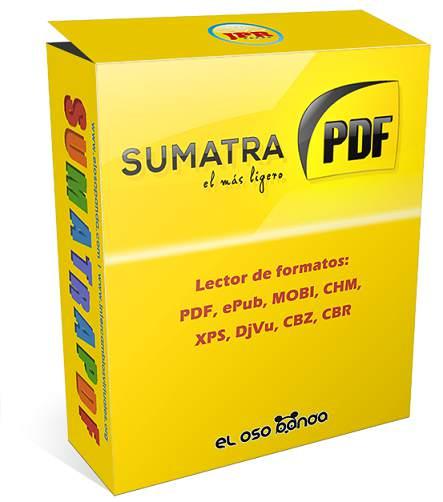
Sumatra PDF
Starting Price
Contact Vendor
Community Pulse
Advanced Ratings
Pros
- Extremely lightweight installation (approximately 4.6 MB) with a minimalistic design that opens PDF, ePub, MOBI, and CBZ files instantly without the bloat of larger PDF suites .
- Portable version runs directly from a USB drive with zero installation and no external dependencies, making it an ideal emergency tool for any Windows PC .
- Responds to frequent updates in 2026 including dark mode support, tab dragging to new windows, AVIF image support, and improved annotation tools with a command palette (Ctrl+K) .
Cons
- Strictly a document reader only—completely lacks PDF creation, editing, text extraction, form filling, digital signatures, or the ability to programmatically manipulate documents .
- Released under the GPL open-source license, which restricts commercial distribution and may conflict with proprietary software license requirements in enterprise environments .
- Windows-only application with no native macOS or Linux versions available, limiting cross-platform usability for users who switch operating systems .
Product Overview
What each platform does and who it's for


Primary Category
The main classification for each product


Editorial Quality Rating
Independent expert panel ratings and quality validations

Nitro PDF Pro
Expert Score

Sumatra PDF
Expert Score
Integration Ecosystem
Compare supported third-party apps and services
Nitro PDF Pro Integrations



Sumatra PDF Integrations
Platform Support
Supported platforms across each product
Nitro PDF Pro
Sumatra PDF
Platform support not specified
No platform details listed for this software
Sentiment & Feedback
Real-world pros and cons from verified users
Nitro PDF Pro Feedback
User sentiment analysis
- Stands out for its efficient, easy-to-use interface with convenient features for scanning text from books and magazines, plus a whiteout tool for removing dark page borders and stray marks .
- Document comparison tool highlights changes between PDF versions alongside markup, a unique feature for tracking revisions across document iterations .
- Flexible licensing with a three-year license option ($270) available alongside subscription versions, appealing to users who prefer multi-year commitments .
- Combines markup, editing, conversion, e-sign support, redaction, and document assembly in a single desktop productivity tool .
- OCR capabilities, while adequate, are not as accurate or powerful as ABBYY FineReader or Adobe Acrobat, placing them slightly behind the top-tier leaders .
- Large feature set can feel complex for simple annotation tasks; users only needing markup may find the interface overwhelming .
- Collaboration features rely on export and workflow discipline rather than built-in cloud sharing, adding friction for team reviews .
Sumatra PDF Feedback
User sentiment analysis
- Extremely lightweight installation (approximately 4.6 MB) with a minimalistic design that opens PDF, ePub, MOBI, and CBZ files instantly without the bloat of larger PDF suites .
- Portable version runs directly from a USB drive with zero installation and no external dependencies, making it an ideal emergency tool for any Windows PC .
- Responds to frequent updates in 2026 including dark mode support, tab dragging to new windows, AVIF image support, and improved annotation tools with a command palette (Ctrl+K) .
- Supports keyboard shortcuts modeled after web browsers (Ctrl+Shift+T to reopen closed tabs, Ctrl+Tab for cycling), making navigation feel natural for most users .
- Strictly a document reader only—completely lacks PDF creation, editing, text extraction, form filling, digital signatures, or the ability to programmatically manipulate documents .
- Released under the GPL open-source license, which restricts commercial distribution and may conflict with proprietary software license requirements in enterprise environments .
- Windows-only application with no native macOS or Linux versions available, limiting cross-platform usability for users who switch operating systems .
Feature Comparison
Detailed side-by-side capability checklist
Nitro PDF Pro
11/24 features
- API & Webhook Integrations
- App Integrations
- Business integrations
- Conversion
- Cross-device sync
- Fast
- Extensions
- Lightweight
- System optimization
- Open-source
- Reporting & Analytics
- Security
- Team collaboration
- User-friendly interface
- Advanced editing
- Multi-platform support
- Browser extensions
- Desktop OS
- Comic book reader for Windows
- Document tracking
- E-signature workflows
- EPUB
- Lightweight open-source PDF
- Performance optimization
Sumatra PDF
15/24 features
- API & Webhook Integrations
- App Integrations
- Business integrations
- Conversion
- Cross-device sync
- Fast
- Extensions
- Lightweight
- System optimization
- Open-source
- Reporting & Analytics
- Security
- Team collaboration
- User-friendly interface
- Advanced editing
- Multi-platform support
- Browser extensions
- Desktop OS
- Comic book reader for Windows
- Document tracking
- E-signature workflows
- EPUB
- Lightweight open-source PDF
- Performance optimization
Login to see the complete feature comparison
Free account — takes 10 seconds
No credit card required. Create account
Pricing & Plans
Compare plans, features, and starting points side-by-side
Nitro PDF Pro Pricing
PaidOne-time software purchase.
Cloud features and eSign.
Sumatra PDF Pricing
FreeUltra-fast PDF reader.
Login to see detailed pricing plans & tiers
Free account — takes 10 seconds
No credit card required. Create account
Community Intelligence
Real-time crowdsourced comparison feedback and buyer signals.
Community Matchup Voting
Real-time crowdsourced buyer signals
Community vs. Editorial Alignment
Agreement between algorithmic rating & user voting
Nitro PDF Pro
Calculated by features, pricing, support & ratings.
Awaiting Votes
Cast your vote above to update results.
Which software did you choose?
Share your decision anonymously with the community
Promote to Nitro PDF Pro vs Sumatra PDF Buyers
Capture high-intent PDF Editors & Tools evaluators
Head-to-Head Winner Analysis
Data-backed performance comparisons across pricing, features, usability, and support
Matchup Scoreboard
At-a-glance scorecard results
Weighted Overall Scorecard
Normalized composite performance scores
Smart Recommendation Matrix
Head-to-head decision matrix based on your business workflow
- Users wanting a streamlined, user-friendly workspace interface
- Teams looking for native integration with core workflow tools
- Teams needing broad multi-platform accessibility across desktop, mobile, and web
- Teams seeking a zero-cost or freemium entry tier for Sumatra PDF
- Users wanting a streamlined, user-friendly workspace interface
- Teams looking for native integration with core workflow tools
Nitro PDF Pro
Dimension scorecard
Multi-Dimension Performance
Winner Breakdown & Analysis
Nitro PDF Pro wins overall with a weighted score of 88% based on user rating, pricing, features, usability, and support.
Pricing: $14.99/mo (No Free Trial), a less accessible entry point than the leader.
Offers 12 features (fewer than the category leader).
Strong usability with a user rating of 4.7/5 stars.
Decent support with a user rating of 4.7/5 stars.
Not enough data on the other product(s) to rank this dimension fairly.
Sumatra PDF
Dimension scorecard
Multi-Dimension Performance
Winner Breakdown & Analysis
Sumatra PDF is a runner-up with a composite score of 83%.
Sumatra PDF has the most accessible pricing ($0/mo (No Free Trial)).
Sumatra PDF lists the most features (15 features).
Strong usability with a user rating of 4.5/5 stars.
Ranked #1 for support with a user rating of 5.0/5 stars.
No data available for this product on this dimension yet.
Final Verdict:Nitro PDF Pro
Nitro PDF Pro scores higher across 4 of 11 key dimensions with a 5-point lead in our weighted analysis.
Promote Your Software to PDF Editors & Tools Decision Makers
Frequently asked questions: Nitro PDF Pro vs Sumatra PDF
Which is better: Nitro PDF Pro or Sumatra PDF?
Nitro PDF Pro scores higher across 4 of 11 key dimensions with a 5-point lead in our weighted analysis. The best choice still depends on your team's workflow, budget and required integrations — use the side-by-side sections above to check the details that matter to you.
How do users rate Nitro PDF Pro and Sumatra PDF?
Nitro PDF Pro is rated 4.4/5 from 232 user reviews. Sumatra PDF is rated 4.5/5 from 4 user reviews. Ratings come from approved user reviews on SoftwareHope.
How much do Nitro PDF Pro and Sumatra PDF cost?
Nitro PDF Pro starts at $14.99/month. Sumatra PDF has a free plan. Always confirm current pricing on the vendor's site, as plans change.
Do Nitro PDF Pro and Sumatra PDF offer a free plan or free trial?
Nitro PDF Pro does not list a free plan or trial; Sumatra PDF offers a free plan.
Which platforms do Nitro PDF Pro and Sumatra PDF support?
Nitro PDF Pro supports Windows, macOS, iOS, Android and Web; platform support is not specified for the others.
Which is easier to use, Nitro PDF Pro or Sumatra PDF?
Nitro PDF Pro has an ease-of-use rating of 4.7/5, Sumatra PDF has an ease-of-use rating of 4.5/5. The difference is small, so both are similarly easy to adopt.
Most Helpful Reviews
Community-voted helpful feedback from verified users
I use Nitro PDF Pro daily to manage our core tasks. In daily use with Nitro PDF Pro, excellent customer support responsiveness and comprehensive documentation. On occasion with Nitro PDF Pro, mobile application interface has minor feature gaps compared to the desktop app.
I use Nitro PDF Pro daily to manage our core tasks. The quality of the core content and the stability of the platform are exceptional. Sometimes it feels like you are paying for the brand name rather than just the content.
In our daily production workflow, the Nitro Analytics dashboard proved our organization saved over 12,000 printed pages in our first quarter, which resolved our previous operational bottlenecks.
Impressive experience with Nitro Sign integration providing unlimited, legally compliant electronic signatures
After testing multiple competing tools, having unlimited e-signatures included with our Nitro licenses eliminated all our separate DocuSign billing costs, giving our team total confidence in daily use.
Login to read full user reviews
Free account — takes 10 seconds
No credit card required. Create account
Trending Software
Calculated via real engagement & conversions


Best Alternatives in PDF Editors & Tools
Other highly-rated software you might want to consider